Register
Worth Ave. Group - Providing peace of mind to consumers for over 50 years.

What Are Paper Tablets? (A Guide to What They Can and Can’t Do)
Posted:
December 02, 2025
Categories:
General

What Are Paper Tablets? (A Guide to What They Can and Can’t Do)
If you’ve been hearing about “paper tablets” and wondering what they actually are, you’re not alone. The name sounds almost too simple. Are they digital notebooks? Are they tablets? Do they connect to the internet? Can they replace an iPad?
Paper tablets sit in a category of their own. Let’s see exactly what they can and can’t do.
What Is a Paper Tablet?
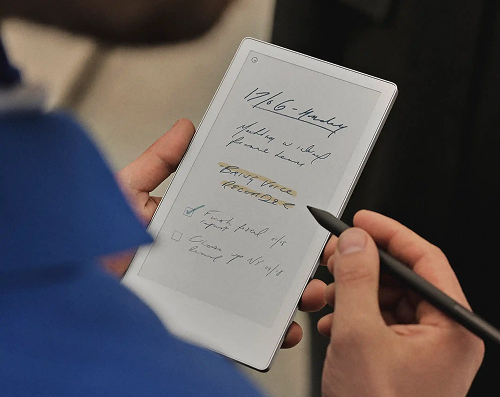
A paper tablet is a thin, lightweight device built around an E-Ink display that mimics the look and feel of real paper. When you write or draw on it with a stylus, there’s just enough friction to feel like a pen on paper — something you can’t get from a standard tablet.
Popular models include reMarkable 2, Kindle Scribe, BOOX Note Air, and Sony Digital Paper. While each brand has its own strengths, they all share the same core purpose: to give you a clean, focused space to write, sketch, read, and think – without apps fighting for your attention.
X


Don't let cracked screens ruin your iPad! - $4/mo
iPad Insurance - Comprehensive Coverage
Unlimited Accidental Damage Claims
Unlimited Accidental Damage Claims
What You Can Do on a Paper Tablet

Despite their simple design, paper tablets are surprisingly capable. Here are some things you can do:
Write and take notes with a paper-like feel
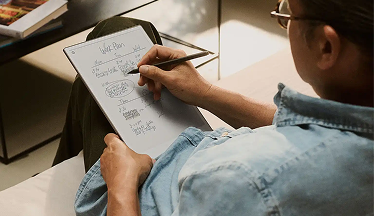
The writing experience is what makes paper tablets special. The E-Ink screen has a matte texture that adds just the right amount of friction, so when the stylus touches the surface, it genuinely feels like a pen on paper. There’s no glare, no smudging, and no delay — just a smooth, natural writing flow that makes jotting down ideas, class notes, or meeting summaries feel effortless and familiar.
Draw, sketch, brainstorm, and annotate documents
Paper tablets aren’t just for writing. Their precise styluses make them great tools for sketching quick diagrams, doodling, or mapping out ideas visually. You can draw freely on a blank page, add diagrams to your notes, or annotate existing documents with arrows, circles, and handwritten comments. This flexibility feels close to working in a real notebook — just with the added benefit of unlimited space.
Read eBooks, PDFs, articles, and long documents
 Read eBooks, PDFs, articles, and long documents
Most paper tablets double as excellent reading devices. Their E-Ink displays make the experience feel very close to reading a printed page. That’s why they’re great for eBooks, PDFs, research papers, articles, and any long-form document you need to work through. Because E-Ink screens are gentle on the eyes and produce no glare, you can read for hours without discomfort — much better than staring at a traditional tablet.
Highlight text and add margin notes
Reading becomes more interactive with the ability to highlight important text and write down quick notes in the margins. You can mark key sections in a PDF, underline quotes in an eBook, or attach digital sticky notes to specific passages. It feels natural, intuitive, and helpful for studying, reviewing documents, or simply keeping track of ideas as you read — all without carrying highlighters or sticky tabs around.
Organize notes into folders and notebooks
 Organize notes into folders and notebooks
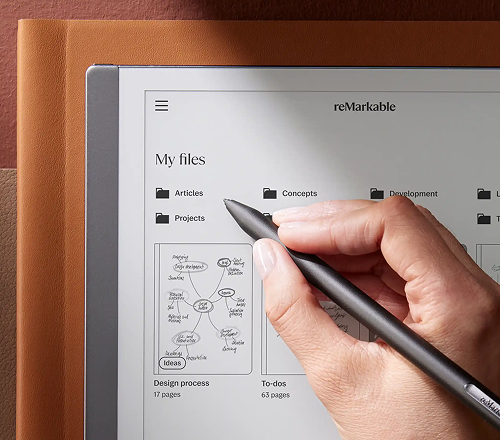
Instead of dealing with piles of separate notebooks or scattered pieces of paper, everything on a paper tablet stays neatly organized. You can create as many notebooks as you need and sort them into folders for different subjects, projects, or clients. It’s like having a perfectly organized filing cabinet — but one that weighs almost nothing.
Convert handwriting into typed text
Another feature people love is handwriting recognition. You can write naturally with the stylus and later convert your handwriting notes into searchable, editable text. You can also export them as PDFs, Word documents, or emails. If you prefer handwriting but need polished notes afterward, handwriting-to-text conversion is a huge time-saver.
What You Can’t Do on a Paper Tablet
 What You Can’t Do on a Paper Tablet
Paper tablets are intentionally limited, and that’s part of their charm. They’re meant to be quiet, simple, focused tools — not replacements for your laptop, phone, or iPad.
Here are some things you usually can’t do on a paper tablet:
- Use social media apps like Instagram, TikTok, or Facebook
- Watch videos or stream content (YouTube, Netflix, etc.)
- Play games or run animation-heavy apps
- Browse the internet quickly or smoothly
- Multitask with multiple windows, like on an iPad
- Use full-color, vibrant displays (most are grayscale)
- Run photo-editing or design software
If you want a device for entertainment, fast browsing, apps, video, or color-heavy work, a paper tablet won’t replace your existing tech — but it can complement it beautifully.
FAQs about Paper Tablets
Pretty close! Paper tablets use textured screens that mimic
the slight resistance you feel when writing on real paper.
It’s not a perfect match to paper, but it’s much closer than
writing on glass like an iPad.
Yes, but only in a minimal way. You won’t be browsing
Instagram or watching YouTube, but you can access basic Wi-Fi
functions like syncing, software updates, and cloud backup.
Absolutely. Reading is one of the things paper tablets do
best. They use E-Ink screens, which look like real paper and
are comfortable for long reading sessions. You can read eBooks
(ePub, PDF, and more) and pretty much any document you upload.
Most popular models use grayscale E-Ink screens, so they don’t
have color. Some newer devices support color E-Ink, but the
colors are muted and not comparable to iPad-style displays.
Most modern paper tablets sync with popular cloud services
such as Google Drive, Dropbox, OneDrive, or the device’s own
cloud service. You can upload your notes, import documents,
back up your files, and access them from other devices.
Paper tablets have excellent battery life because E-Ink
screens use very little power. Most devices last one to two
weeks on a single charge – far longer than a typical tablet or
phone.
Protect your tablet from accidents and theft!
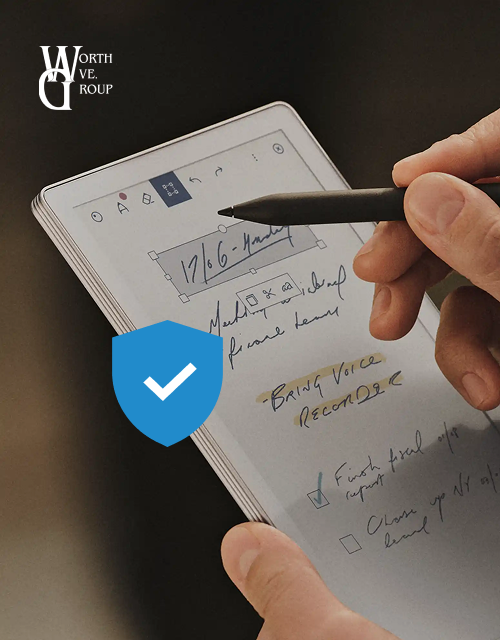
If you’re thinking about getting a paper tablet – or already have one – make sure it’s protected with reliable tablet insurance. These devices are built for focus and creativity, but they’re still vulnerable to cracked screens, drops, spills, and even theft. Tablet insurance gives you peace of mind, knowing that if something goes wrong, you’re covered for repairs or a replacement. Get a free Tablet Insurance quote to get started!